TL;DR: The MCP protocol is identical over both transports — same JSON-RPC 2.0 messages, same capability handshake, same tools/resources/prompts. What changes is the channel, the deployment, and the trust boundary. Use stdio when the server needs your filesystem, a local database, or near-zero latency. Use Streamable HTTP when the server must be reachable by many users, hosted centrally, or kept off end-user machines. The 2026-07-28 spec revision made Streamable HTTP stateless — the biggest enabler for hosting MCP at scale Railway Docs — Build and Deploy Your Own MCP ServerModel Context Protocol Blog — The 2026-07-28 Specification.
The Transport Question
Every MCP server you’ve ever connected to made the same architectural decision before it could serve a single tool call: how do JSON-RPC messages physically travel between client and server? That decision — the transport — determines where the server runs, who can reach it, how you authenticate it, and how hard it is to scale. Get it wrong and you’ll fight your own architecture forever CheckMCP — Local vs Remote MCP Servers (stdio vs Streamable HTTP).
What a Transport Actually Is
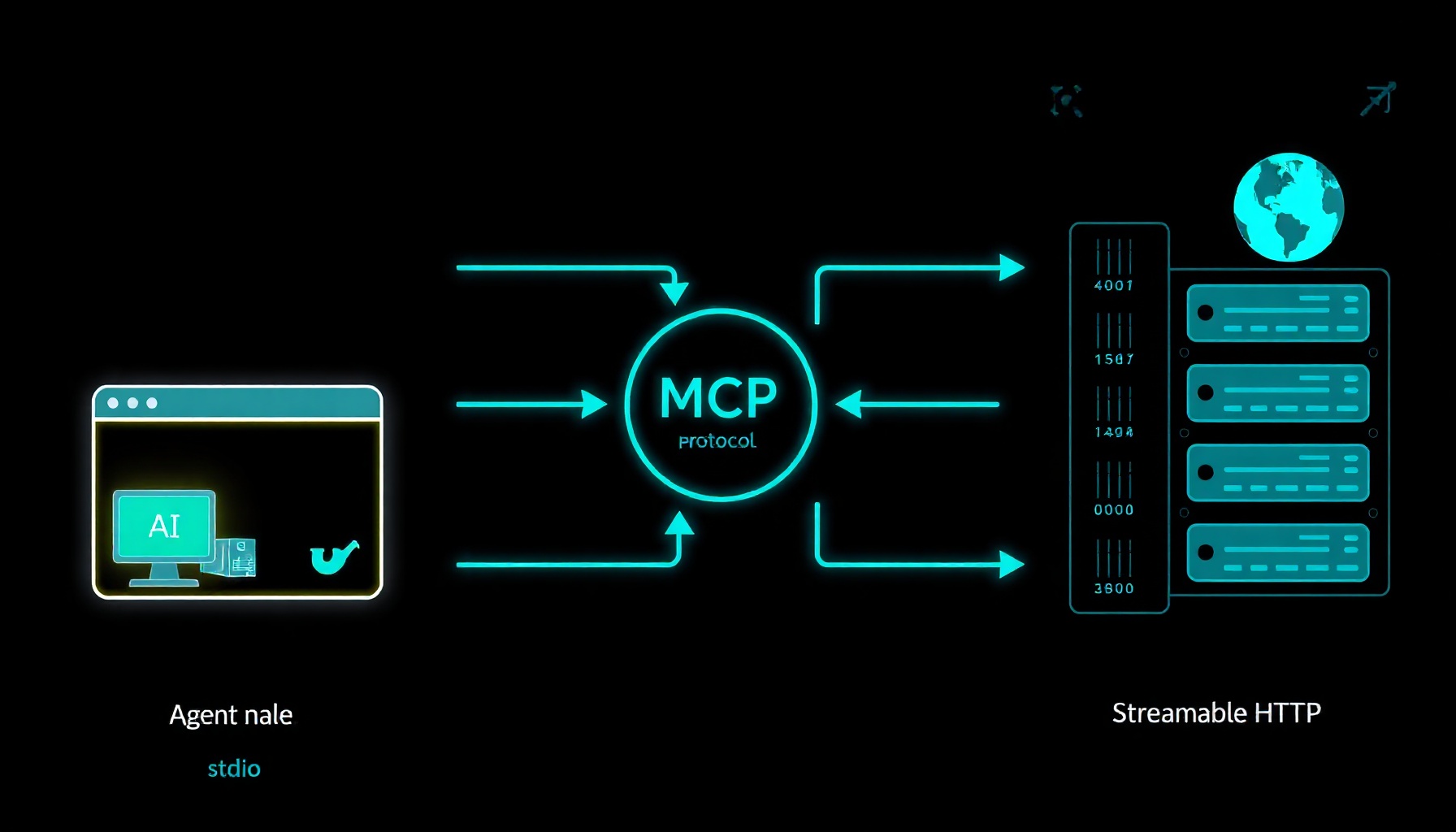
MCP is an open JSON-RPC 2.0 protocol: a host runs one MCP client per server, performs a capability handshake, then discovers and calls that server’s tools, resources, and prompts. The transport is just the channel those messages travel over — not the message format and not the primitives CheckMCP — Local vs Remote MCP Servers (stdio vs Streamable HTTP). Per the spec, there are two transports that matter today: stdio for local servers and Streamable HTTP for remote ones MCP Specification 2025-03-26 — Transports.
stdio Under the Hood
With stdio, the host spawns the server as a subprocess and pipes JSON-RPC messages over the process’s stdin and stdout. There is no port, no URL, and no network hop — the server lives and dies with the host that launched it CheckMCP — Local vs Remote MCP Servers (stdio vs Streamable HTTP). This is the default for desktop integrations: a server configured in Claude Desktop’s config runs via npx or uvx, inherits environment variables (often containing API keys), and executes with your user’s privileges CheckMCP — Local vs Remote MCP Servers (stdio vs Streamable HTTP)MCP Specification 2025-03-26 — Transports.
That privilege is the whole appeal and the whole risk. A stdio server can read your files, reach localhost services, and use any credential you handed it — which is exactly what makes filesystem, database, and dev-tooling servers so powerful. But “local” means a private transport, not safe code: a poisoned npm or PyPI package, or a server that quietly exfiltrates over an outbound call, operates with full local context CheckMCP — Local vs Remote MCP Servers (stdio vs Streamable HTTP). Latency is negligible and your data never leaves the device CheckMCP — Local vs Remote MCP Servers (stdio vs Streamable HTTP).
Streamable HTTP Under the Hood
Streamable HTTP is a single HTTP endpoint — conventionally /mcp — that the client POSTs JSON-RPC requests to, with the server able to stream responses and server-initiated messages back using Server-Sent Events (SSE) when needed CheckMCP — Local vs Remote MCP Servers (stdio vs Streamable HTTP)Railway Docs — Build and Deploy Your Own MCP Server. Clients must send an Accept header advertising both application/json and text/event-stream, so a server can answer a request either with a plain JSON response or an SSE stream MCP Specification 2025-03-26 — Transports.
The trust boundary inverts relative to stdio. Your machine’s filesystem and local secrets stay out of reach, but every request and every piece of data you pass to a tool crosses the network to a third party — and because clients re-fetch tool definitions per session rather than pinning a reviewed copy, a remote server can silently change its tools after you approved it. That’s the “rug-pull” problem, and it’s inherent to remote transports CheckMCP — Local vs Remote MCP Servers (stdio vs Streamable HTTP). The older two-endpoint HTTP+SSE transport (a separate SSE channel plus a POST endpoint) is now legacy: the 2026-07-28 spec revision officially deprecated it with a twelve-month offramp, and new servers should use Streamable HTTP Railway Docs — Build and Deploy Your Own MCP ServerModel Context Protocol Blog — The 2026-07-28 Specification.
When to Use stdio
Choose stdio when the server needs your filesystem, a local database, or developer tooling; when latency must be near-zero; and when you want data to stay on the device CheckMCP — Local vs Remote MCP Servers (stdio vs Streamable HTTP). It’s also the right call for single-user CLI integrations — a linter, a repo helper, a local vector index — where spawning a subprocess is simpler and more secure than standing up a network service. There’s no auth surface to manage, no URL to protect, and no rate limiter to tune. The cost is that the server is unreachable from web apps, mobile clients, or anyone else’s machine Cloudflare Blog — Build and deploy Remote MCP servers to CloudflareCheckMCP — Local vs Remote MCP Servers (stdio vs Streamable HTTP).
A stdio server in Claude Desktop looks like this — the host handles process management:
{
  "mcpServers": {
    "local-dev-tools": {
      "command": "npx",
      "args": ["-y", "@your-scope/local-dev-tools"]
    }
  }
}
When to Use Streamable HTTP
Choose Streamable HTTP when a server should be centrally hosted and updated, shared across a team or product, or kept off end-user machines — accepting that data now transits to a third party and that authentication and transport security become part of the threat model CheckMCP — Local vs Remote MCP Servers (stdio vs Streamable HTTP). Cloudflare frames it as the shift from desktop software to web software: remote MCP is what lets everyday users “log in and have things just work” across devices, instead of installing and running servers locally Cloudflare Blog — Build and deploy Remote MCP servers to Cloudflare. It’s the model for hosted, multi-tenant MCP services, and it’s also what makes auditing tractable — a live URL can be probed, its handshake validated, and its real tools inspected, which is impossible for a subprocess with no network presence CheckMCP — Local vs Remote MCP Servers (stdio vs Streamable HTTP).
Production Patterns
Cloudflare: Workers + Durable Objects + OAuth 2.1
Cloudflare’s remote MCP stack handles the four hard parts of going online: transport, state, auth, and client compatibility. The McpAgent class in the Agents SDK implements remote transport for you, using Durable Objects behind the scenes to hold persistent connections open for SSE, so a minimal server is ~15 lines with no serialization or transport code Cloudflare Blog — Build and deploy Remote MCP servers to Cloudflare. Because each client session is backed by a Durable Object, MCP servers on Cloudflare can be genuinely stateful — games, checkout flows, persistent knowledge graphs — with per-session state persisted to a SQL database Cloudflare Blog — Build and deploy Remote MCP servers to Cloudflare.
For auth, workers-oauth-provider makes your Worker an OAuth 2.1 provider, with Dynamic Client Registration (RFC 7591) and Authorization Server Metadata (RFC 8414) built in Cloudflare Blog — Build and deploy Remote MCP servers to Cloudflare. The pattern worth stealing: your server issues its own token to the MCP client, while the upstream provider token is stored encrypted in Workers KV and never exposed. A compromised client token only grants the limited tool surface you defined — a direct mitigation for OWASP’s “Excessive Agency” risk Cloudflare Blog — Build and deploy Remote MCP servers to Cloudflare. You can even gate individual tools on identity, adding an allowlisted generateImage tool only for specific users Cloudflare Blog — Build and deploy Remote MCP servers to Cloudflare. Finally, mcp-remote adapts remote servers for clients that only support local connections, so Claude Desktop, Cursor, and Windsurf users can connect today Cloudflare Blog — Build and deploy Remote MCP servers to Cloudflare.
Railway: Stateless HTTP + Postgres
Railway’s guide is the cleanest minimal remote-server blueprint: an Express app exposing a single /mcp endpoint, with the Node SDK’s NodeStreamableHTTPServerTransport creating a fresh transport per request — stateless, per the 2026-07-28 spec Railway Docs — Build and Deploy Your Own MCP Server. Deploy to a public domain, and clients connect via claude mcp add --transport http my-server https://your-server.up.railway.app/mcp or a url entry in Cursor’s mcp.json Railway Docs — Build and Deploy Your Own MCP Server.
Two details from that guide are easy to miss. First, host: "0.0.0.0" is required — the default localhost binding rejects requests arriving through a public domain via DNS rebinding protection Railway Docs — Build and Deploy Your Own MCP Server. Second, the protocol will not carry state for you: the in-memory Map in the tutorial is per-replica and wiped on every redeploy. State lives behind the server, in a database — swap the Map for Postgres queries and the tool definitions don’t change at all Railway Docs — Build and Deploy Your Own MCP Server. For private workloads, Railway’s private networking (http://<service>.railway.internal:<port>/mcp) keeps the server off the public internet entirely Railway Docs — Build and Deploy Your Own MCP Server.
Lessons from Google’s AI Agent Clinic
Google’s production teardown of a brittle sales agent generalizes to MCP hosting: split monoliths into narrow, orchestrated components; keep state in external stores rather than hardcoded context; and treat observability as non-negotiable — OpenTelemetry traces plus an SSE streaming telemetry dashboard to debug component latencies and resolve “ground-truth disputes” Google Developers Blog — Production-Ready AI Agents: 5 Lessons from…. The same post makes the case for framework-native circuit breakers: exponential backoff, timeout boundaries, and bounded retries instead of hand-rolled retry loops, because agentic loops burn tokens in minutes when a tool fails Google Developers Blog — Production-Ready AI Agents: 5 Lessons from…. Apply that to your remote MCP server: rate-limit, trace, and bound retries at the transport layer.
The 2026 Spec Changes for Streamable HTTP
The 2026-07-28 specification revision is the biggest change to remote MCP since Streamable HTTP itself launched, and it directly reshapes hosting decisions Model Context Protocol Blog — The 2026-07-28 Specification:
- Stateless core. The
initialize/initializedhandshake and theMcp-Session-Idheader are retired. Every request is self-describing, carrying protocol version, client identity, and capabilities in_meta— so any request can land on any replica behind a plain round-robin load balancer with no shared storage Railway Docs — Build and Deploy Your Own MCP ServerModel Context Protocol Blog — The 2026-07-28 Specification. - Header-based routing. Requests must include
Mcp-MethodandMcp-NameHTTP headers, so gateways, rate limiters, and WAFs can route and meter without parsing JSON bodies Model Context Protocol Blog — The 2026-07-28 Specification. - MRTR. Server-to-client requests (sampling, elicitation, roots) are redesigned as Multi Round-Trip Requests, removing the need for held-open bidirectional streams — a server returns
resultType: "input_required"and the client retries with answers attached Model Context Protocol Blog — The 2026-07-28 Specifid Deploy Your Own MCP ServerModel Context Protocol Blog — The 2026-07-28 Specification.
If your server needs cross-call state, make it explicit: mint a handle from a tool and have the model pass it back as an argument, rather than relying on hidden transport state Model Context Protocol Blog — The 2026-07-28 Specification.
Code: Both Transports
A minimal stdio server in TypeScript — process I/O only, no network:
import { McpServer } from "@modelcontextprotocol/sdk/server/mcp.js";
import { StdioServerTransport } from "@modelcontextprotocol/sdk/server/stdio.js";
import { z } from "zod";

const server = new McpServer({ name: "local-dev-tools", version: "1.0.0" });

server.tool(
  "read_file",
  { path: z.string() },
  async ({ path }) => {
    // Runs with your user's privileges — full filesystem access
    const content = await fs.readFile(path, "utf-8");
    return { content: [{ type: "text", text: content }] };
  }
);

await server.connect(new StdioServerTransport());
The same server over Streamable HTTP, condensed from the Railway guide Railway Docs — Build and Deploy Your Own MCP Server:
import { createMcpExpressApp } from "@modelcontextprotocol/express";
import { NodeStreamableHTTPServerTransport } from "@modelcontextprotocol/node";
import { McpServer } from "@modelcontextprotocol/server";
import { z } from "zod";

const server = new McpServer({ name: "todo-mcp-server", version: "1.0.0" });

server.registerTool(
  "create_todo",
  { description: "Add a task", inputSchema: z.object({ title: z.string() }) },
  async ({ title }) => ({
    content: [{ type: "text", text: `Created: ${title}` }],
  })
);

const app = createMcpExpressApp({ host: "0.0.0.0" }); // required for public domains

app.post("/mcp", async (req, res) => {
  // Fresh transport per request: stateless, per the 2026-07-28 spec.
  // sessionIdGenerator: undefined opts out of legacy session mode.
  const transport = new NodeStreamableHTTPServerTransport({
    sessionIdGenerator: undefined,
  });
  await server.connect(transport);
  await transport.handleRequest(req, res, req.body);
});

app.listen(Number(process.env.PORT) || 3000, "0.0.0.0");
Clients connect either way — a URL for remote servers, or the mcp-remote adapter when your client only supports local connections Cloudflare Blog — Build and deploy Remote MCP servers to CloudflareRailway Docs — Build and Deploy Your Own MCP Server:
claude mcp add --transport http my-server https://your-server.up.railway.app/mcp// .cursor/mcp.json
{
"mcpServers": {
"my-server": {
"url": "https://your-server-production-xxxx.up.railway.app/mcp"
}
}
}// Claude Desktop — via mcp-remote adapter
{
"mcpServers": {
"remote-example": {
"command": "npx",
"args": ["mcp-remote", "https://your-server.up.railway.app/mcp"]
}
}
}Decision Matrix
The One-Line Rule
Start with stdio for anything that only one user on one machine will touch. Move to Streamable HTTP the moment the server must be shared, remotely hosted, or reachable from web and mobile clients — and build it stateless from day one, because the 2026 spec revision made statelessness the native way to scale Railway Docs — Build and Deploy Your Own MCP ServerModel Context Protocol Blog — The 2026-07-28 Specification. Treat every server — local or remote — as untrusted until audited: the transport tells you where the trust boundary is, not whether the code behind it is safe CheckMCP — Local vs Remote MCP Servers (stdio vs Streamable HTTP).
References
Cloudflare Blog — Build and deploy Remote MCP servers to Cloudflare Cloudflare Blog — Build and deploy Remote MCP servers to Cloudflare CheckMCP — Local vs Remote MCP Servers (stdio vs Streamable HTTP) CheckMCP — Local vs Remote MCP Servers (stdio vs Streamable HTTP) Railway Docs — Build and Deploy Your Own MCP Server Railway Docs — Build and Deploy Your Own MCP Server Google Developers Blog — Production-Ready AI Agents: 5 Lessons from… Google Developers Blog — Production-Ready AI Agents: 5 Lessons from Refactoring a Monolith MCP Specification 2025-03-26 — Transports MCP Specification 2025-03-26 — Transports Model Context Protocol Blog — The 2026-07-28 Specification Model Context Protocol Blog — The 2026-07-28 Specification
📖 Related Reads
- Hermes Tutorials — Hermes Agent setup, configuration, and advanced workflows
- ToolBrain — tool reviews, LLM comparisons, and AI workflow guides
- CodeIntel Log — code quality, debugging, and software engineering benchmarks
Cross-links automatically generated from NiteAgent.
← Back to all posts